Starvard University · Cybersecurity
Protect yourself from hackers and scams, then learn the skills companies pay good money for. Security is one of the few fields with more jobs than people.

The whole course in brief
The twelve lessons
Lesson 1
Security people start every plan with a threat model: what do I have, who wants it, and how would they try to take it? For most of us the answers are boring and that is good news. You are not defending against nation-states. You are defending against automated password guessing, phishing emails, and the occasional stolen phone.
List your crown jewels: email (the master key to every password reset), bank accounts, photos, work documents. Then list the realistic ways in: a reused password leaked in a breach, a convincing fake login page, a phone left in a cab. This list tells you where to spend your effort. Everything in this course maps back to it.
The point is proportion. Perfect security does not exist, and chasing it wastes your life. Good security means making yourself a harder target than the next person, because attackers are lazy and move on to easier prey.
Lesson 2
The rules changed. Length beats complexity. A long passphrase you can remember, like four random words strung together, is stronger than a short tangle of symbols you will forget and reuse. And reuse is the real killer: when one site gets breached, attackers try that same password everywhere else within minutes.
The fix is a password manager. It generates a unique 20-character password for every site and remembers them all, so you only memorize one master password. This single change eliminates the number one way accounts get taken over. Pick any reputable manager and commit to it this week.
Check whether your passwords have already leaked. Breach lookup sites let you search your email against known leaks. If you find hits, and you probably will, change those passwords first, starting with email. Your email is the skeleton key: whoever controls it can reset everything else.
Lesson 3
Two-factor authentication means logging in takes two proofs: something you know (password) plus something you have (your phone). Even if an attacker steals your password, they cannot get in without that second factor. Industry studies keep finding it blocks the vast majority of automated account takeovers.
Not all second factors are equal. Text message codes are better than nothing but can be intercepted. Authenticator apps are much stronger. A physical security key, a little USB device you tap, is the strongest of all. Start with an authenticator app on your email, bank, and social accounts. That covers 90% of the value in an afternoon.
Do email first, always. Your email account can reset the password of nearly every other account you own. An attacker with your email owns your digital life. Lock that door before you worry about the windows.
Lesson 4
Phishing is a fake message designed to steal your login or get you to run something malicious. It is the top way attackers get in, because fooling a busy human is easier than breaking encryption. The email looks like your bank, your boss, or a package delivery, and it always wants you to act fast.
Urgency is the tell. "Your account will be suspended in 24 hours." "Unusual login, verify now." Real companies do not operate this way. The defense is a habit, not a tool: never click the link in the message. Go to the site yourself by typing the address. A thirty-second detour defeats nearly every phish.
Also watch for the quieter versions: a text about a package, a call from "tech support," a DM from a friend's hacked account asking for a favor. Same rule every time. Slow down, verify through a separate channel, and never let urgency make your decisions.
Lesson 5
Almost every major breach you have read about exploited a vulnerability that already had a fix available. Attackers scan the internet for unpatched systems the way burglars check for unlocked doors. The update you keep postponing is the open window.
Turn on automatic updates for your operating system, your browser, and your phone, and stop thinking about it. The rare bad update is far less dangerous than the guaranteed stream of attacks against known holes. Browsers especially: they are your most attacked software, so keep them current.
Lesson 6
Coffee shop Wi-Fi is a shared network, which means a stranger on the same network can potentially snoop on unencrypted traffic. The good news: most of the web is encrypted now, so the risk is lower than the old horror stories. The remaining risk is fake hotspots and snooping on the few sites that still lack encryption.
Practical rules: do not do banking on public Wi-Fi without a VPN, prefer your phone's hotspot over café Wi-Fi for anything sensitive, and turn off auto-join for open networks so your phone does not silently connect. At home, change your router's default admin password and keep its firmware updated. Your home network is the castle wall.
A VPN encrypts your traffic on untrusted networks. It is worth having for travel. It is not magic invisibility, despite the ads. It moves your trust from the café to the VPN company, so pick one with a real reputation, not the one with the catchiest commercial.
Lesson 7
Ransomware works by encrypting your files and charging you to unlock them. It is a terrifying business model with one glaring weakness: it only works if you have no other copy. Backups turn a catastrophe into an inconvenience.
Follow the 3-2-1 rule. Three copies of important data, on two different kinds of storage, with one copy offsite. In practice: your computer, plus an automatic cloud backup, plus occasionally a copy that is disconnected or in a different cloud. Automate it, because manual backups do not happen.
Test your backups once. A backup you have never restored from is a hope, not a plan. Pick one file, restore it, confirm it opens. Five minutes now saves tears later.
Lesson 8
Your phone holds your email, your bank, your photos, and your two-factor codes. Losing it unprotected is like losing your wallet, your keys, and your filing cabinet at once. A strong lock screen, biometrics plus a real PIN, is non-negotiable.
Turn on remote find and remote wipe before you need them. Keep the OS updated. Be stingy with app permissions: a flashlight app does not need your contacts. And treat SMS codes as the weakest link they are; move important accounts to an authenticator app so a stolen phone number alone cannot drain you.
Lesson 10
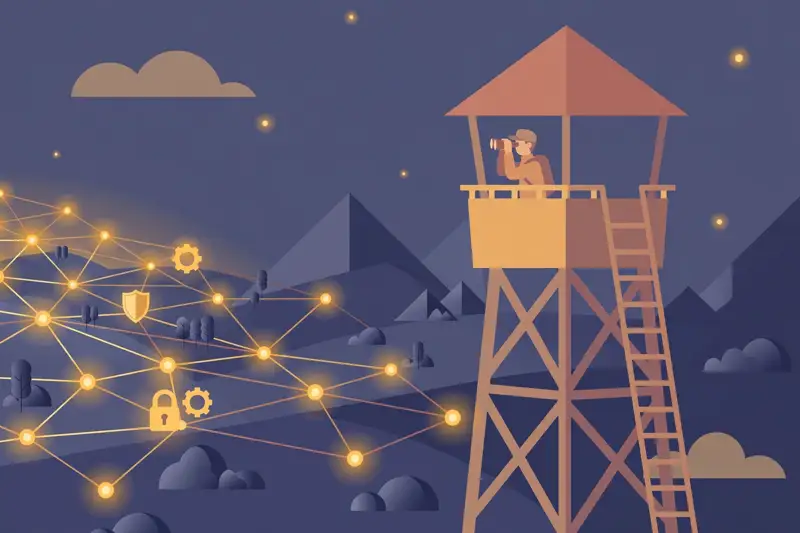
Companies do not rely on one magic product. They defend in layers: firewalls and network segmentation to slow intruders, endpoint software on every laptop, email filters to catch phish, logging and monitoring to spot weird behavior, and an incident response plan for when something gets through. Assume breach is the mindset. Prevention fails, so detection and response matter.
The human layer is the biggest one. Regular training, simulated phishing tests, and a culture where reporting a suspicious email is praised, not punished. Most corporate breaches start with one person clicking one thing. A trained workforce is worth more than another dashboard.
Small businesses get the same principles at small scale: managed updates, decent email filtering, backups, 2FA everywhere, and one person who owns security as a real responsibility. You do not need an enterprise budget to avoid being the easy target.
Lesson 11
Cybersecurity has had more open jobs than qualified people for years, and the gap keeps growing. Companies of every size need defenders, and many will train the right junior hire. It is one of the few tech fields where motivation and fundamentals can still beat credentials.
The real entry path: learn how networks work, learn how operating systems work, learn the basics of one scripting language. Then prove it: home lab projects, capture-the-flag competitions, a blog writing up what you learned, an entry certification like Security+. Hiring managers want evidence you can think like both an attacker and a defender.
Forget the movie version. Real security work is mostly careful, methodical, and unglamorous: reviewing logs, hardening systems, writing policies, responding to incidents at 2am. If that sounds satisfying rather than boring, you might belong here.
Lesson 12
You now know enough to fix 90% of your personal risk in one weekend. Here is the order: install a password manager and change your email password first. Turn on two-factor for email, bank, and social. Run every pending update. Set up automated backups. Lock down your phone. Check your email against breach lists and rotate anything leaked.
Then build the habits: pause before clicking, verify through separate channels, and keep sharing security answers private. Security is maintenance, not a project. Revisit this list once a year, the same weekend you check your smoke detectors.
If the career path called to you, your next step is one fundamentals course in networking and one weekend capture-the-flag event. The field needs you. Start this month.
Graduation
Security is not about becoming unhackable. It is about being a harder target than the next person, protecting what matters against the attacks that actually happen. Password manager, two-factor, updates, backups, and a habit of slowing down. That is the whole personal playbook. For the career version, the door is open and the field is hiring.
Keep learning
This course is part of Starvard University, striving for greatness.

Lesson 9
Social Engineering Beyond Email
Phishing is one flavor of a bigger trick: social engineering, manipulating people into handing over access. The "tech support" caller who needs remote access to fix a virus you do not have. The new "colleague" who messages you for a password. The person tailgating through the office door behind you.
The defense is verification through a separate channel. Got an urgent request from your boss over chat? Call them. Got a call from your bank? Hang up and call the number on your card. Legitimate people accept verification. Attackers pressure you to skip it. That pressure is the signal.
Oversharing feeds all of this. Every detail you post publicly, your pet's name, your birthday, your mother's maiden name, is a potential security answer or a detail that makes a scam call convincing. Share the vacation photos after you are home.